Updated August 14, 2026 · Adult subjects only
AI couple photo prompts that keep both faces consistent
The reliable pattern is to treat a couple photo as two identity assignments, not one group description: select two separate adult characters, name each person, give each a position and wardrobe, then ask for one shared action. If an output merges faces or drops a person, simplify the pose before adding more style.
Product route: open Agent, select two trained adult characters, and choose a two-person idea such as Couple selfie, Date night, or Matching outfits.
Quick decision guide
| Goal | Start with | Avoid first | Accept only if |
|---|---|---|---|
| Check both identities | Shoulder-to-shoulder direct portrait | Kisses, crossed arms, or a phone over a face | Both faces work when inspected separately |
| Create a natural selfie | One named phone holder and one clear eye line | Two phones or several hand-held props | The hand, phone, reflection, and faces agree |
| Show affection | One interaction: hug, cheek kiss, or handhold | Several overlapping actions in one prompt | Neither face is hidden or blended |
Reusable formula
Assign identity before style
Identity, position, and ownership should appear before lighting or aesthetic terms. This makes every later instruction easier to audit when the result is wrong.
Create one photo with exactly two distinct adults. Person 1 is [name/profile 1] on the [left/foreground]. Person 2 is [name/profile 2] on the [right/background]. Preserve both identities separately. Do not merge or average their facial features. Person 1 wears [outfit 1]. Person 2 wears [outfit 2]. They are [one shared action] in [one setting]. [Name] holds [the only prop]; the other person's hands remain visible and relaxed. Camera: [selfie/direct portrait/full body], [lighting], [aspect ratio]. Keep both faces unobstructed, both people in frame, and the anatomy natural.
Replace the brackets, then remove any line that does not change the shot. More adjectives do not repair an unclear subject assignment.
Reviewed illustrations
Four prompt patterns, each with a known risk
These published Mila-and-Lily images were visually reviewed for this guide. They illustrate useful scene structures, but they are not controlled model tests and do not establish a success rate or model ranking.
A first identity check
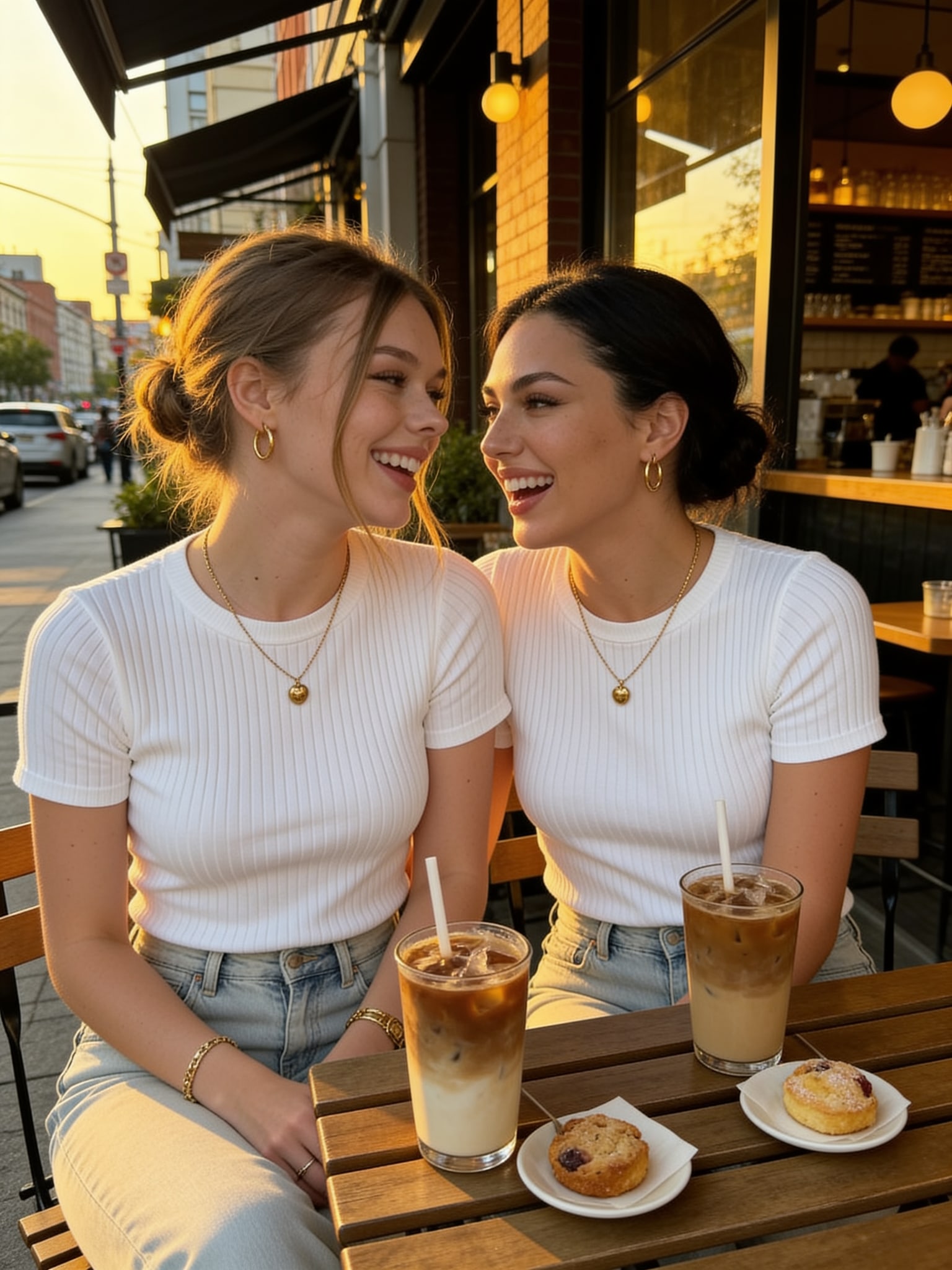
Café photo with both faces unobstructed
Copy the scene prompt
Create a café photo of Mila and Lily sitting at a wooden outdoor table with iced coffees and pastries. Keep Mila and Lily as two distinct adult women. Mila sits on the left and Lily sits on the right. Give both faces an unobstructed three-quarter view. Use coordinated white tops, light-wash jeans, warm late-afternoon light, and a candid phone-photo composition.
Limitation: Matching shirts make the scene cohesive, but they can also make identity drift less obvious at a glance.
Review action: Zoom into each face separately before judging the overall composition.
Affection and cheek-kiss poses
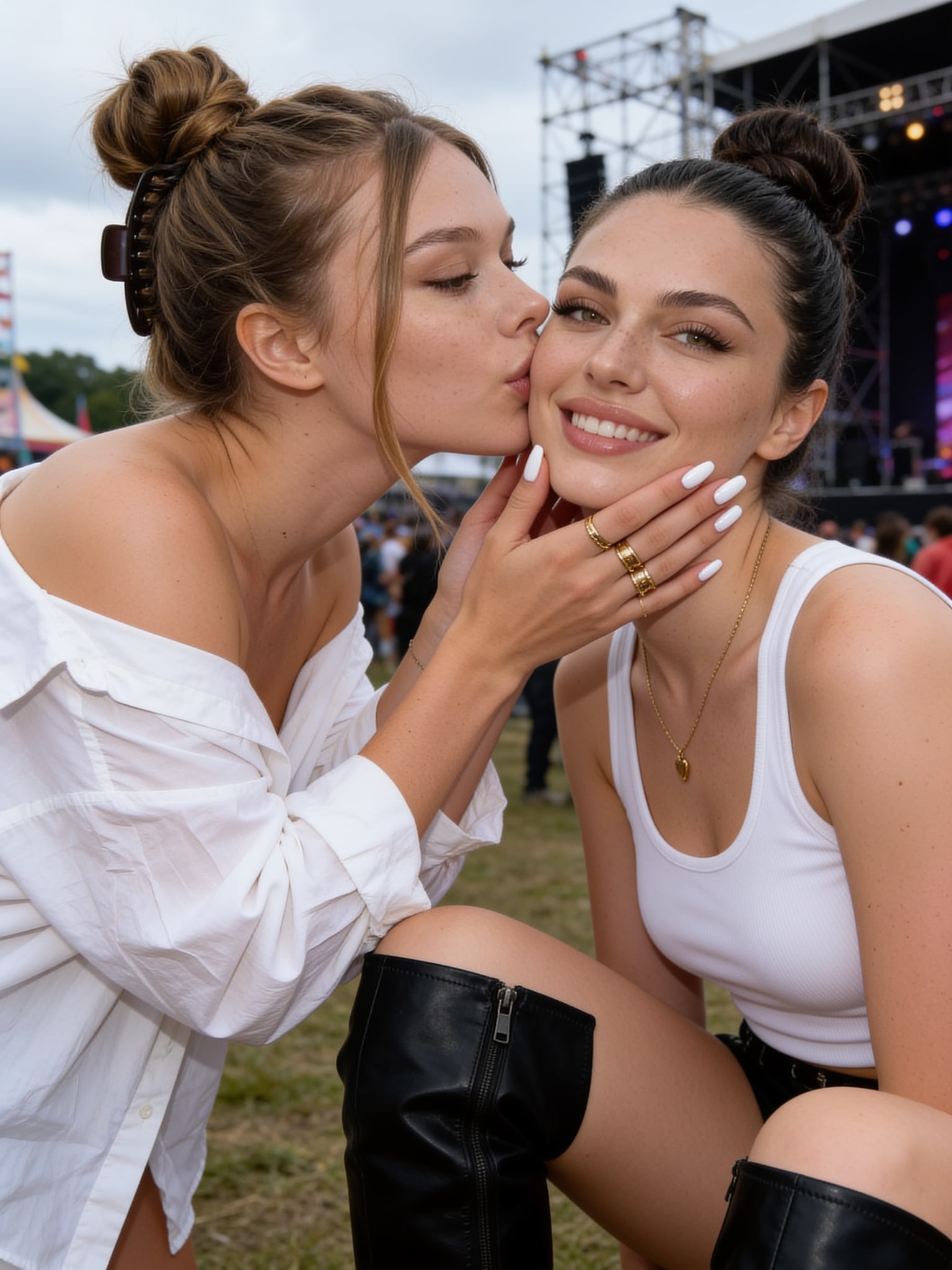
Close interaction without merging faces
Copy the scene prompt
Create a candid outdoor festival photo with two distinct adult women. Mila is on the left, leaning in to kiss Lily's cheek. Lily is on the right, smiling toward the camera. Keep each face separate and recognizable, keep Lily's cheek and eyes visible, and show only one natural hand touching Lily's jaw. Use overcast festival light and a close smartphone crop.
Limitation: A turned face plus a hand near the jaw increases the chance of occlusion or distorted fingers.
Review action: Reject the result if the kiss hides most of one face or if a finger crosses the mouth or eye.
Date-night and event photos
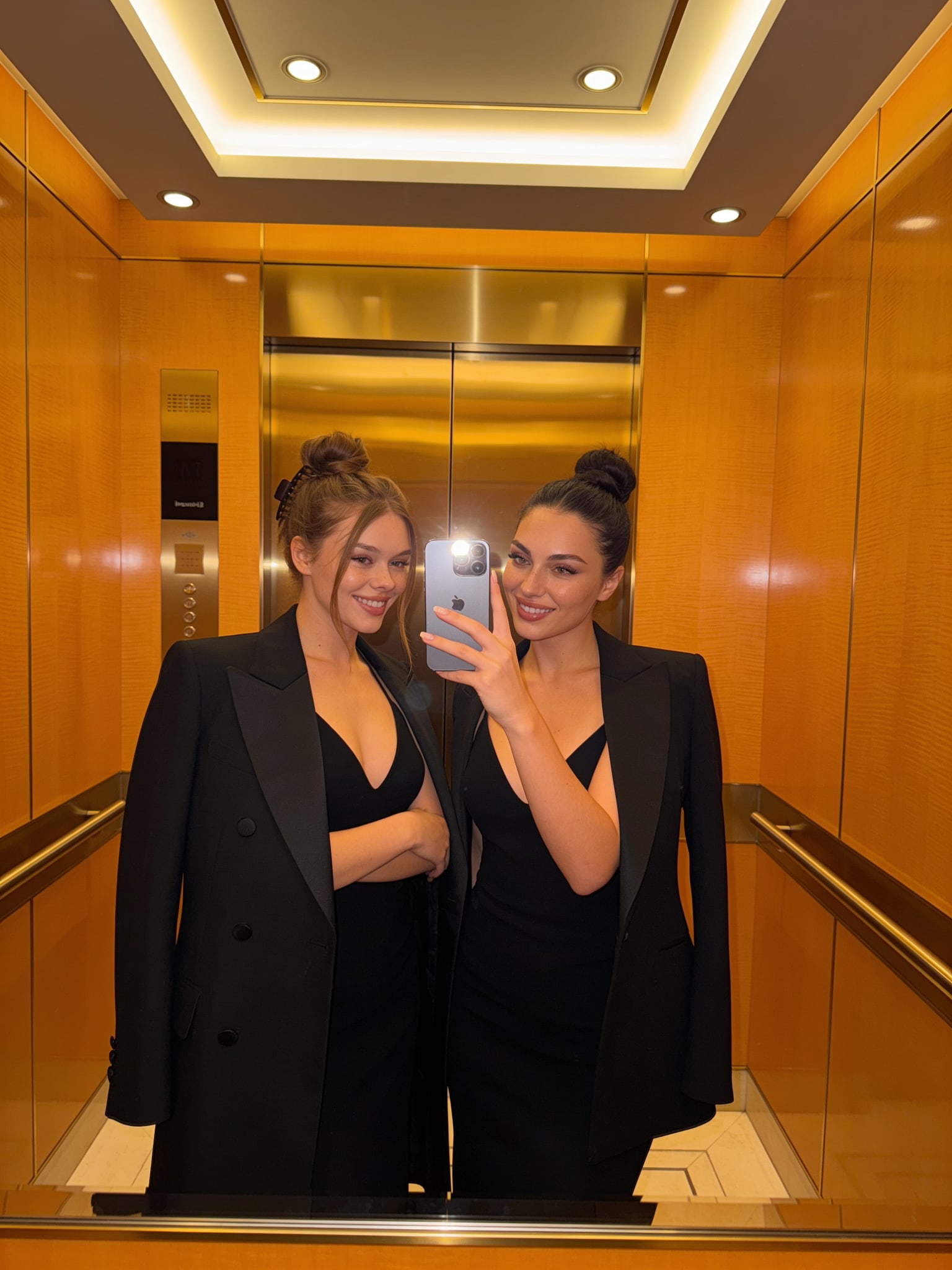
Mirror selfie with an assigned phone holder
Copy the scene prompt
Create a luxury hotel elevator mirror selfie of Mila and Lily before an event. Mila stands on the left with both arms visible. Lily stands on the right and holds one phone at chest height. Keep their adult faces distinct and unobstructed. Dress both in coordinated black evening outfits, use warm wood panels and ceiling lights, and preserve a believable mirror reflection.
Limitation: Mirrors combine face, phone, hand, and reflection constraints in one frame, so they are harder than a direct portrait.
Review action: Check the phone count, the holding hand, the reflection, and both eye lines before keeping the image.
Outfits and standing poses
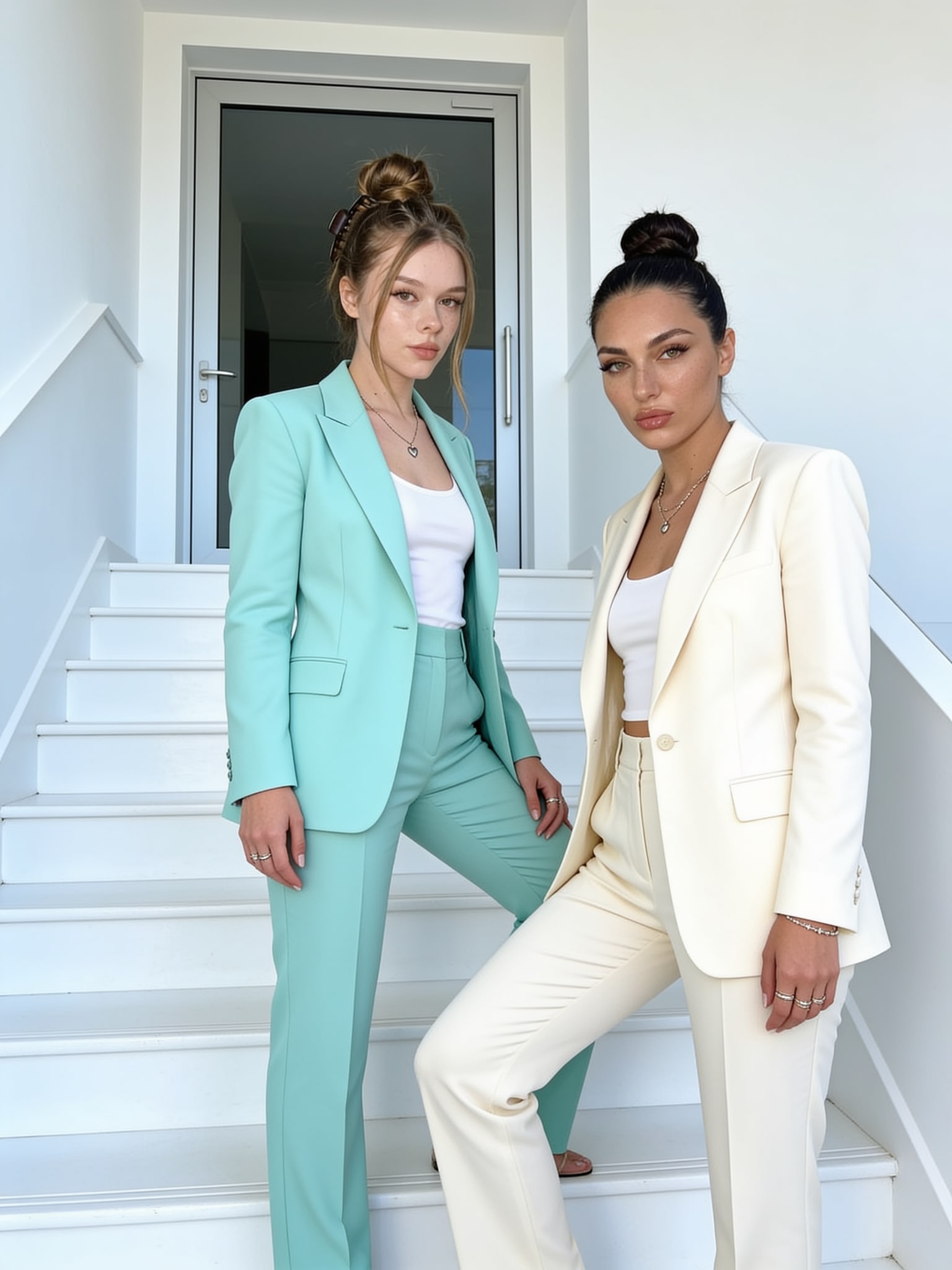
Full-body portrait with separate wardrobe roles
Copy the scene prompt
Create a full-body portrait of two distinct adult women on bright white stairs. Mila stands on the left in a mint suit. Lily stands on the right in a cream suit. Keep both faces recognizable, keep the wardrobe assignments separate, leave visible space between their silhouettes, and include both subjects from head to feet in airy daylight.
Limitation: A full-body frame gives each person more separation but leaves fewer pixels for facial detail.
Review action: Use a taller aspect ratio and reject any output that cuts off feet or weakens either face.
Failure repair
Fix the assignment, not just the adjective list
Regenerate structural failures. Save editing for a local problem only after both people and identities are correct.
| Failure | Likely prompt trigger | Next attempt |
|---|---|---|
| One person is missing | The prompt describes a shared scene but never assigns two positions. | State “two distinct adults,” then assign Person 1 left and Person 2 right before describing styling. |
| Faces blend together | Both people are described as one group or given interchangeable traits. | Name each person separately and add “do not merge or average their facial features.” |
| Outfits swap | Wardrobe appears in a single list without an owner. | Write one short wardrobe sentence per person and repeat the left/right assignment. |
| Hands or props break | Both people touch each other while also holding phones, drinks, or bags. | Give only one person the prop and simplify the other person's hands to a visible resting pose. |
| The pose collapses | Several interactions compete: hugging, kissing, looking away, and taking a selfie. | Keep one relationship action per frame. Generate the selfie and the cheek kiss as separate shots. |
| A body is cropped out | The requested pose is wider than the selected aspect ratio. | Ask for head-to-feet framing and use portrait orientation; for close selfies, explicitly request both shoulders in frame. |
Five-step workflow
- 1
Lock two adult identities. Create or choose one approved trained character for each person; do not alternate reference sets mid-batch.
- 2
Prove the simple portrait. Generate both people shoulder-to-shoulder with unobstructed faces before trying interaction poses.
- 3
Add one shared action. Choose one: selfie, hug, cheek kiss, handhold, or walking pose.
- 4
Own every object. Assign each outfit and prop to one named person, including who holds the phone.
- 5
Review face by face. Check identity, anatomy, wardrobe, crop, and interaction separately; regenerate structural failures.
Why this guide exists
First-party query evidence showed a gap
In 402 normalized Explore searches for the exact query “couple” from February 14 through August 12, 2026, only 5 searches selected a result (1.2%); those selections averaged rank 82.2. The GA4 cohort contained 75 users and 9 zero-result searches. That is evidence of weak discovery, not proof that any specific prompt or model is best.
Separately, GA4 recorded 261 human AI-assistant landing sessions in the complete 30 days from July 11 through August 9, versus 64 in the preceding 30 days; 259 of the current sessions were sourced to chatgpt.com. This excludes crawler requests and measures attributed visits, not whether an assistant cited or endorsed a page.
Methodology and limitations
Explore figures use the normalized exact query from GA4 search events. Assistant figures use GA4 landing sessions whose source matched the assistant-referral reporting rules. Dates stop at complete reporting days. Raw Agent messages were used only to validate aggregate two-person intent and are not reproduced here.
The four images are stable public Remix.Camera assets selected from the Mila/Lily library and manually reviewed for this article. Their older records do not preserve the full immutable input, model, run, and output-hash chain required for a controlled benchmark, so this guide does not call them proven results.
Frequently asked questions
How do I keep two faces consistent in an AI couple photo?
Use one approved adult character or reference set for each person, select both identities, name each person separately, assign a position and wardrobe to each, and change only one scene variable at a time. Review both faces individually before accepting the composition.
What should an AI couple photo prompt include?
Include the exact subject count, separate identity instructions, left/right or foreground/background positions, one relationship action, owned wardrobe, one camera treatment, and the intended crop or aspect ratio.
Why does an AI image generator combine two people?
Two subjects are more likely to blend when the prompt treats them as an interchangeable group, gives both the same traits, or asks for heavy facial overlap. Separate the roles and simplify the interaction before adding styling details.
Should I fix a bad two-person image or regenerate it?
Regenerate when a person is missing, identities are blended, or anatomy is structurally wrong. Use a targeted edit only when both identities are already correct and the problem is local, such as one prop, a small wardrobe detail, or the crop.
Start with the simple two-person portrait
Select two adult characters in Agent, confirm both identities, then move to selfies or interaction poses.
Related guides
Guide collections
More prompt guide collections
Continue into related Remix Camera guides grouped by use case.